How Businesses Use WhatsApp Communities to Build Stronger Customer Relationships
How Businesses Use WhatsApp Communities to Build Stronger Customer Relationships
Imagine trying to communicate with hundreds—or even thousands—of customers through individual chats or dozens of disconnected WhatsApp groups. Announcements get lost, support requests pile up, and keeping everyone informed becomes increasingly difficult.
This is exactly the challenge WhatsApp Communities were designed to solve.
Instead of managing multiple independent groups, businesses can organize related groups under one community, making communication more structured, scalable, and easier to manage.
From educational institutions and healthcare providers to e-commerce brands and customer support teams, organizations across industries are using WhatsApp Communities to create better experiences for employees, customers, and members.
In this guide, we'll explore what WhatsApp Communities are, how businesses use them, their benefits, practical use cases, and best practices for managing them effectively.
What Are WhatsApp Communities?
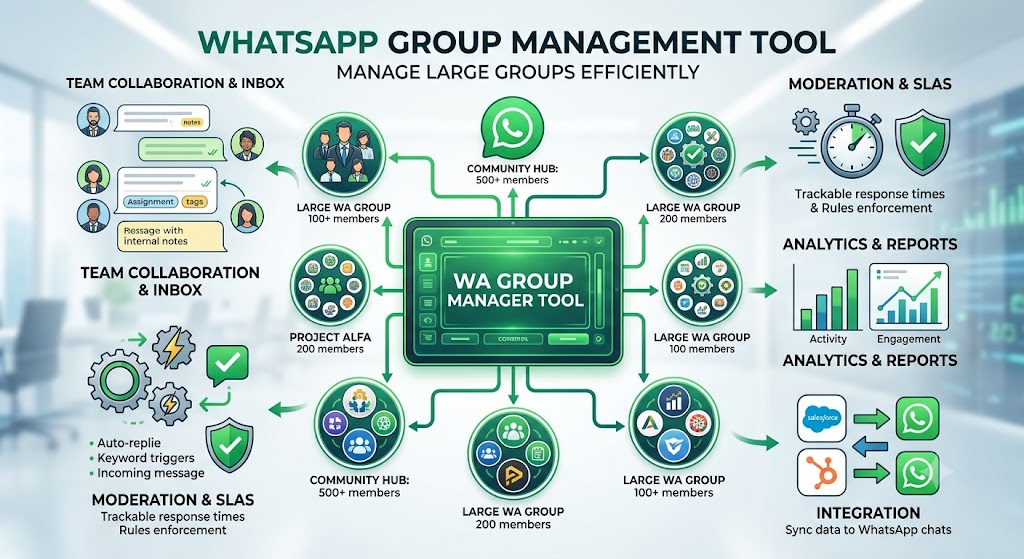
WhatsApp Communities allow organizations to bring multiple WhatsApp groups together under one central hub.
Instead of creating one massive group with thousands of members, businesses can organize conversations into dedicated groups while still making important announcements to everyone through a shared Community Announcement Group.
For example, a coaching institute might create a community that includes:
Class 10 Students
Class 11 Students
Class 12 Students
Parent Updates
Faculty Coordination
Each group serves a specific purpose, while announcements can be shared across the entire community when needed.
This creates a more organized communication structure without overwhelming members.
Why Businesses Are Adopting WhatsApp Communities
Businesses today need communication channels that are:
Fast
Personal
Organized
Mobile-friendly
Easy to scale
Email often goes unread.
SMS lacks rich communication.
Traditional messaging apps aren't built for community management.
WhatsApp Communities bridge that gap by combining instant messaging with structured organization.
Instead of scattered conversations across multiple groups, businesses gain a centralized communication hub that improves collaboration and reduces confusion.
How Businesses Use WhatsApp Communities
Every business has different communication needs, but most successful communities follow a similar pattern: they organize conversations, reduce noise, and keep people connected.
Here are some of the most common use cases.
1. Customer Support Communities
Many companies create WhatsApp Communities where customers can:
Ask questions
Receive product updates
Access help resources
Connect with support teams
Learn from other customers
Instead of answering the same questions repeatedly, businesses can share updates and resources with the entire community.
This reduces support workload while improving customer satisfaction.
2. Educational Institutions
Schools, universities, coaching centers, and online educators increasingly rely on WhatsApp Communities.
Different groups can be created for:
Students
Teachers
Parents
Course batches
Alumni
Announcements such as exam schedules, assignments, holiday notices, and event reminders can be shared from one place while discussions remain organized within individual groups.
3. Employee Communication
For growing companies, internal communication can quickly become fragmented.
WhatsApp Communities help organize departments like:
Sales
Marketing
Human Resources
Operations
Customer Support
Leadership can share company-wide updates while each team continues collaborating in its own dedicated group.
This improves communication without flooding everyone with irrelevant messages.
4. Customer Onboarding
Businesses often struggle to guide new customers after a purchase.
A WhatsApp Community provides a structured onboarding experience by offering:
Welcome messages
Product tutorials
Frequently asked questions
Video guides
Community discussions
Customers find answers faster while businesses reduce repetitive support requests.
5. Product Launches
Launching a new product requires timely communication.
Businesses use Communities to:
Announce launch dates
Share feature updates
Collect customer feedback
Conduct live Q&A sessions
Provide early access information
Rather than sending multiple messages across different groups, announcements reach the right audience efficiently.
6. Membership Organizations
Professional associations, clubs, nonprofit organizations, and local communities use WhatsApp Communities to manage members more effectively.
Examples include:
Volunteer coordination
Event planning
Committee discussions
Regional chapters
Member announcements
This structure keeps conversations relevant while maintaining strong community engagement.
Benefits of WhatsApp Communities for Businesses
Better Organization
Separate groups for different audiences prevent unrelated conversations from cluttering the community.
Members receive information that is relevant to them.
Faster Communication
Announcements reach everyone instantly without requiring administrators to send messages repeatedly across multiple groups.
Improved Customer Engagement
Members feel more connected when conversations are organized and valuable information is easy to find.
Higher engagement often leads to stronger customer relationships.
Reduced Administrative Work
Managing dozens of independent groups manually takes time.
Communities simplify administration by providing a central communication structure.
Easier Scaling
Whether your business has 200 customers or 20,000, Communities allow you to expand without creating communication chaos.
Common Challenges Businesses Face
While WhatsApp Communities solve many problems, they also introduce new challenges.
Too Many Messages
Without moderation, conversations can become overwhelming.
Businesses should establish clear communication guidelines.
Manual Member Management
Adding and removing members manually becomes difficult as communities grow.
Automation can simplify onboarding and administration.
Repetitive Questions
Customers often ask the same questions repeatedly.
Providing onboarding resources and automated responses helps reduce repetitive conversations.
Maintaining Engagement
Communities require consistent, valuable communication.
Businesses should avoid sending excessive promotional messages and instead focus on educational, helpful content.
Best Practices for Managing WhatsApp Communities
Successful Communities don't happen by accident.
Here are some proven practices.
Define a Clear Purpose
Every group should have a specific objective.
Members should immediately understand why the group exists.
Create Separate Groups for Different Topics
Instead of mixing every conversation together, organize groups around departments, products, courses, or customer interests.
Use Announcements Wisely
Avoid overloading members with unnecessary updates.
Share only information that benefits the majority of the community.
Encourage Meaningful Discussions
Communities thrive when members actively participate.
Ask questions.
Collect feedback.
Celebrate achievements.
Encourage collaboration.
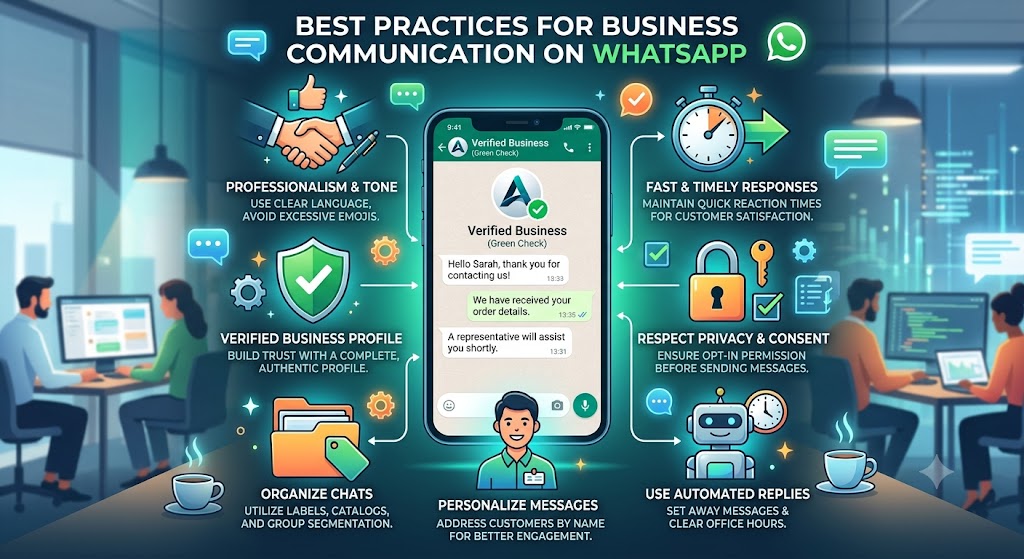
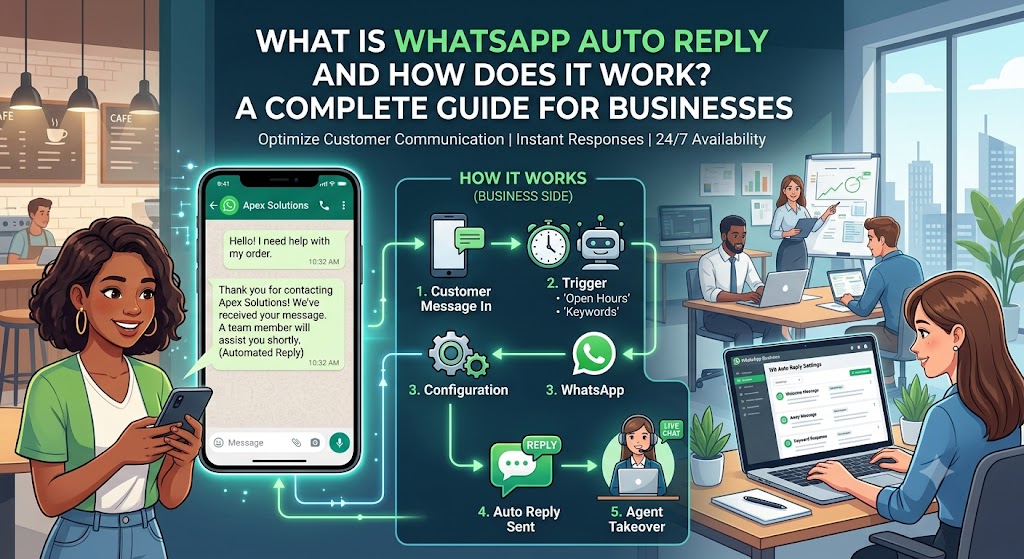
Automate Routine Communication
Automating welcome messages, onboarding information, reminders, and frequently asked questions reduces administrative workload while improving consistency.
How WhatsPilot Helps Businesses Manage WhatsApp Communities
As communities grow, managing everything manually becomes increasingly challenging.
WhatsPilot is designed to simplify WhatsApp Community management by helping businesses organize communication, automate repetitive tasks, and manage multiple groups more efficiently.
With WhatsPilot, businesses can:
Manage multiple WhatsApp groups from a centralized platform
Automate onboarding workflows
Schedule announcements
Reduce repetitive manual tasks
Improve team collaboration
Keep customer communication organized
Scale community management with confidence
Whether you're running customer communities, educational programs, employee networks, or membership organizations, WhatsPilot helps streamline operations while improving the overall member experience.
Frequently Asked Questions
What is the difference between a WhatsApp Group and a WhatsApp Community?
A WhatsApp Group is a single conversation space for members, while a WhatsApp Community organizes multiple related groups under one central hub with a shared announcement channel.
Are WhatsApp Communities suitable for businesses?
Yes. Businesses use Communities to manage customers, employees, students, partners, and members more efficiently while improving communication.
Can businesses manage multiple groups inside one Community?
Yes. Communities are specifically designed to organize multiple groups around a common purpose.
How can businesses keep Communities organized?
By creating topic-specific groups, sharing relevant announcements, establishing clear guidelines, and using automation to manage repetitive tasks.
WhatsPilot Editorial Team
Writing about WhatsApp automation, business communication, and customer engagement strategies.
View all articles →